 Agent Panda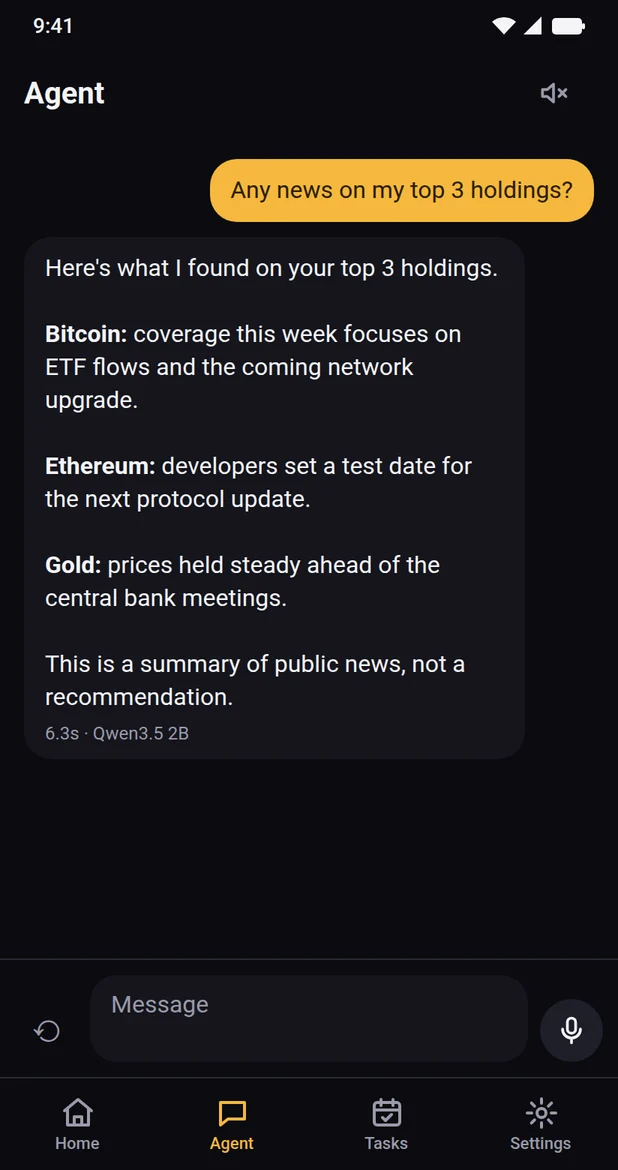
How it works
From first question to full picture in three steps.
There is no Agent Panda account to create. You connect your own Bitpanda account with an API key, or start with the demo.
Connect
Paste a Bitpanda API key, stored in your phone's secure keychain. Choose read-only, or add trading with a daily limit.
Pick your AI
Download a model that runs on your phone, or use the optional cloud model if your account qualifies.
Just ask
Type or talk. The agent plans the steps, reads your portfolio, checks the web and gives you a short answer.
Features
Everything about your portfolio, one question away.
Skip the menus and spreadsheets. Agent Panda brings your numbers, public news and routine checks together in one conversation.
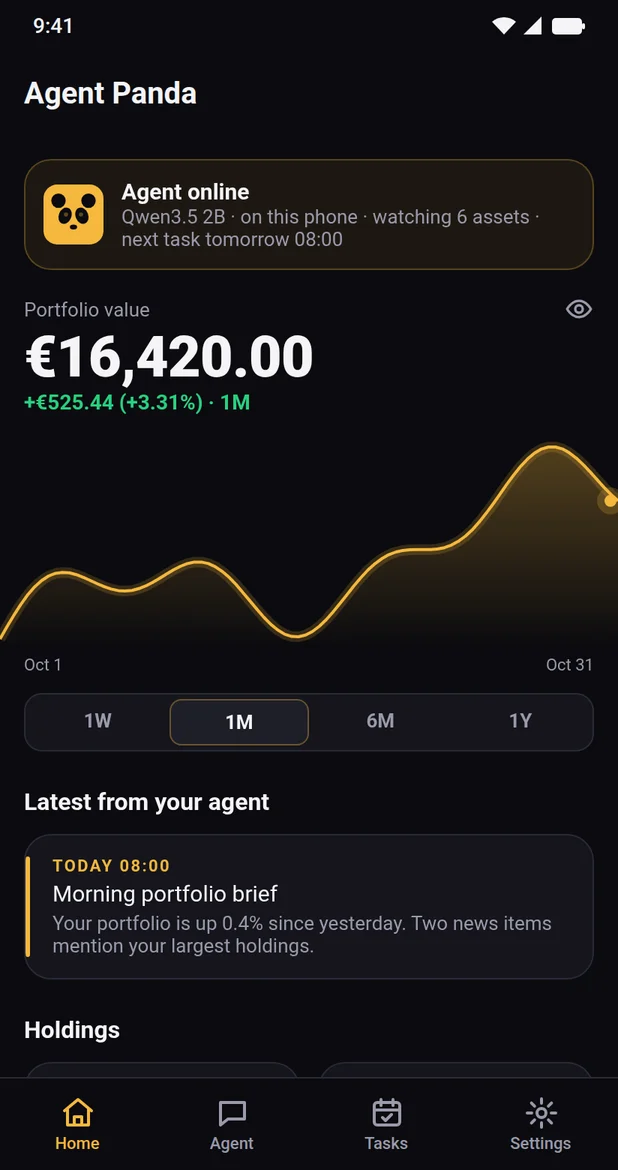
A dashboard that talks back
See your portfolio value, history and holdings at a glance, along with the latest update from your agent. One tap hides your balances when others are around.
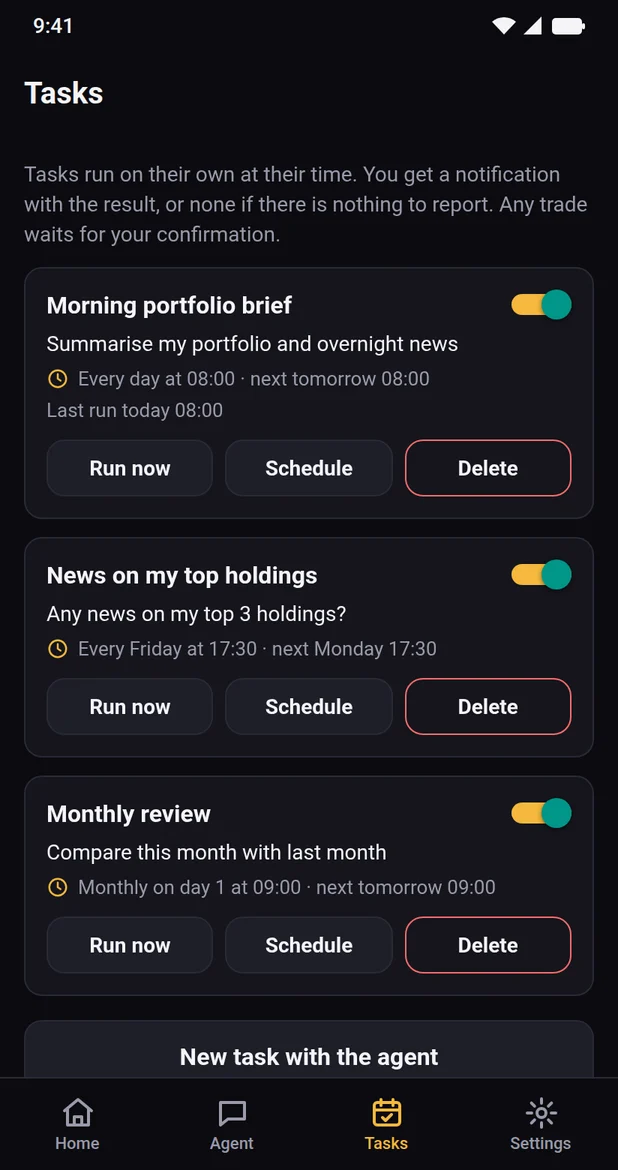
Tasks that run on schedule
Set up a morning brief, a weekly news check or a monthly review. With the cloud model, tasks can run in the background and send the result as a notification.
News that matters to you
Short summaries of public news about the assets you actually hold.
Talk to it
Ask by voice and have replies read aloud while you're on the move.
Plain answers
Totals come from code rather than AI arithmetic, so the sums stay consistent.
You stay in control
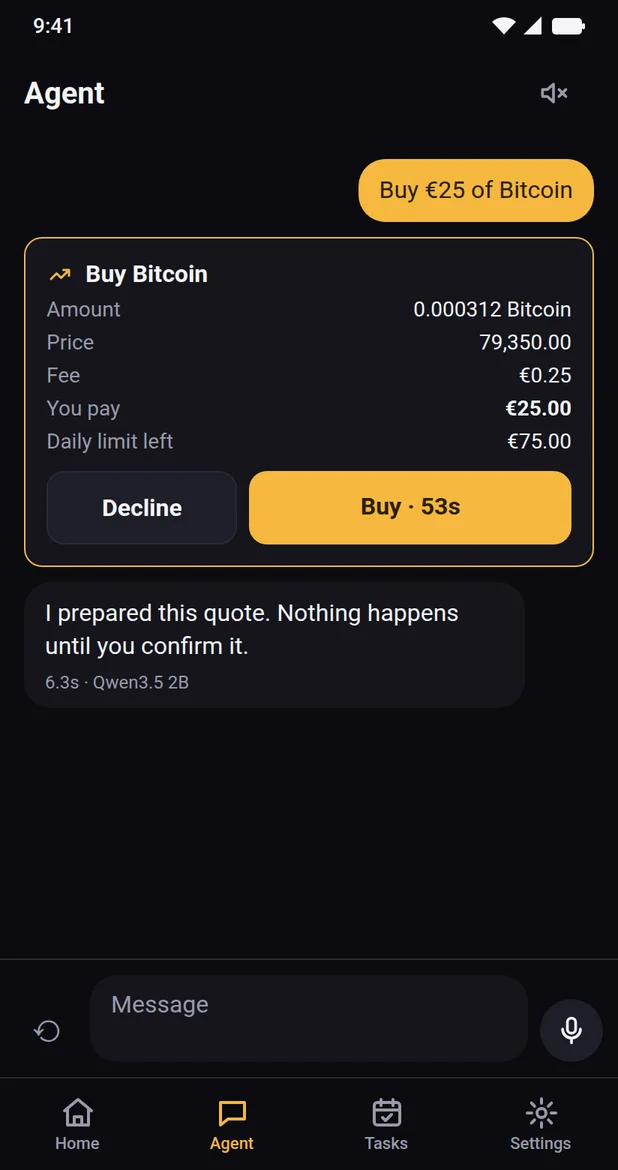
The agent prepares. Only you confirm.
Trading is optional. Create a read-only API key and the app can only look. Add the trade permission, and these safeguards apply:
- Every trade needs your tapThe AI can request a quote, but it can't accept one. Neither can a voice command.
- The full picture firstEach quote shows the amount, price, fee and total before you decide.
- Your own daily limitSet buy and sell limits on your API key. Bitpanda enforces them, whatever the agent does.
- Scheduled tasks wait for you tooA trade prepared by a task sends you a notification and stays unconfirmed until you tap.
Your data
You choose where the AI runs.
Your API key stays in your phone's keychain and only ever goes to Bitpanda. Chats and tasks are stored on your device.
On your phone
Download a model once, from about 530 MB to 2.7 GB. Your questions and portfolio data are processed on your device and aren't sent to an AI provider. Replies take longer than in the cloud.
In the cloud (optional)
A faster model, available if your connected account holds VSN. Your messages and the portfolio data the agent reads go through our server to an AI provider. Our server doesn't store message content.
Web search is optional, and search queries go to the search services we use. Details are in the privacy policy.
Not ready to connect? Try the demo.
Tap "Try the demo" during setup and explore a prepared portfolio. Prices are simulated, and no real trade or money is ever involved.
FAQ
Good questions.
Is Agent Panda a broker or an exchange?
No. It is software on top of your own account, and it never holds your money or assets. Your assets stay in your Bitpanda account, and trades you confirm are carried out by Bitpanda under your agreement with them.
Does it give investment advice?
No. Agent Panda helps you look things up and understand your own data. AI answers can be incomplete or wrong, so check important information yourself and make your own decisions.
Can the AI trade on its own?
No. It can prepare a quote, but accepting one takes your tap on the screen.
What do I need?
A recent 64-bit Android phone, enough free storage for the model you pick, and a Bitpanda API key. For the demo, you don't need a key. You must be 18 or older.
Do I need to create an account?
No. There is no Agent Panda account, and no sign-up.
When can I get the app?
Agent Panda is in a private beta for Android. Join the list and we'll invite you when a place is free.
Is there an iPhone version?
Not yet. The first public version is for Android.
Private beta
Be among the first to try it.
We're opening Agent Panda to a small group of Android testers first. Leave your email and we'll send you an invitation when a place is free.
- Use your Google account's addressTesters join through Google Play, so use the address signed in on your Android phone.
- One purpose onlyWe use your address to invite you and share beta updates, and nothing else.
Investing involves risk, including the loss of your capital. Past performance doesn't predict future results. Screens on this page show sample data.